Ever logged in to Roblox only to be met with a 'Roblox is down' message? As a busy gamer balancing work, family, and precious free time, nothing sours a gaming session faster than unexpected server outages. This comprehensive guide is designed for the modern US gamer, those who appreciate deep dives into their favorite platforms and seek practical solutions to common gaming frustrations. We'll explore why Roblox sometimes goes offline, typical downtime durations, and how you can stay informed without endlessly refreshing your browser. Discover the best ways to check server status, learn what you can do on your end, and even find alternative games to enjoy when Roblox is temporarily unavailable. We understand your gaming time is valuable, and this resource aims to help you navigate these interruptions efficiently. Get ready to transform your frustration into informed action, keeping your gaming flow smooth even during unforeseen server hiccups. This is your go-to resource for understanding Roblox downtime, ensuring you're always in the know and ready to play.
How can I accurately check if Roblox is down right now?
The most accurate way to check if Roblox is experiencing an outage is to visit the official Roblox Status page at status.roblox.com. This page provides real-time updates on all Roblox services. Additionally, follow the official @Roblox_Status Twitter account, which often posts immediate alerts and estimated resolution times for widespread issues. Avoid relying solely on user reports on forums, as these can sometimes be localized problems.
Why does Roblox experience server downtime, even with a massive infrastructure?
Roblox experiences server downtime due to a combination of factors typical for any large online platform. These include scheduled maintenance for updates and improvements, unforeseen technical issues like hardware failures or software bugs, sudden spikes in traffic that overload servers, or even malicious cyber-attacks (DDoS). Managing a platform with millions of concurrent users makes occasional interruptions almost inevitable, despite robust engineering efforts.
What are the usual durations for Roblox server outages?
Roblox server outages typically range from a few minutes for minor glitches or localized issues to several hours for more significant technical problems or large-scale maintenance. In rare instances, like major system failures or security incidents, downtime can extend for a full day or more. Official communication channels will provide the best estimate during an active outage.
Can I fix Roblox not working if it's a server issue on my end?
If Roblox is genuinely down due to a server issue, you cannot fix it on your end. However, you can troubleshoot local problems that might appear like an outage. Try restarting your internet router, clearing your Roblox game cache, updating your client, or checking your device's network connection. If official sources confirm a global outage, these steps won't work, and you'll need to wait for Roblox to restore service.
What are the best alternatives to play when Roblox is down?
When Roblox is down, consider diving into games like Minecraft for creative building, Fortnite Creative for similar social sandbox experiences, Among Us for quick social deduction, or Fall Guys for chaotic fun. For mobile gamers, titles like Clash Royale or Brawl Stars offer engaging distractions. These alternatives provide similar social and creative elements or quick, satisfying gameplay to fill the void.
How does Roblox inform its user base during an unexpected outage?
During an unexpected outage, Roblox primarily informs its user base through its official Roblox Status page (status.roblox.com) and its dedicated X (formerly Twitter) account, @Roblox_Status. These channels provide immediate updates, progress reports from their engineering teams, and announcements when services are restored. Less frequently, they might post to their main @Roblox account or official blog for major incidents.
What impact do Roblox outages have on developers creating games on the platform?
Roblox outages significantly impact developers by halting their revenue streams from in-game purchases and premium payouts. They also lead to reduced player engagement for their specific games, potentially affecting long-term popularity. Development work can be stalled if Roblox Studio is inaccessible, impacting production schedules. Ultimately, prolonged downtime can create financial stress and dampen morale for creators.
Ah, the dreaded 'Roblox is down' message. For many of us US gamers, especially those juggling careers, family, and life's endless demands, a precious gaming session is a vital escape, a chance to unwind, connect with friends, or even build new skills. Nothing interrupts that flow quite like an unexpected server outage. You’ve finally carved out an hour or two, settled in, and then—boom—Roblox decides to take a break. It's frustrating, to say the least. You might find yourself wondering, "How long will Roblox be down this time?" This article is your comprehensive guide to understanding Roblox downtime, offering practical advice and up-to-date insights to help you navigate these digital speed bumps. We'll cut through the noise, providing clear answers so you can spend less time guessing and more time gaming, whether on Roblox or a worthy alternative.
We know your time is gold. With 87% of US gamers playing regularly, often dedicating 10+ hours a week, and mobile gaming continuing its dominance in 2026, efficient problem-solving is key. Our goal is to empower you with the knowledge to quickly assess the situation and get back to what you love. Let's dive into the common questions surrounding Roblox outages, ensuring you’re always prepared for the unexpected.
How Long Will Roblox Be Down Typically?
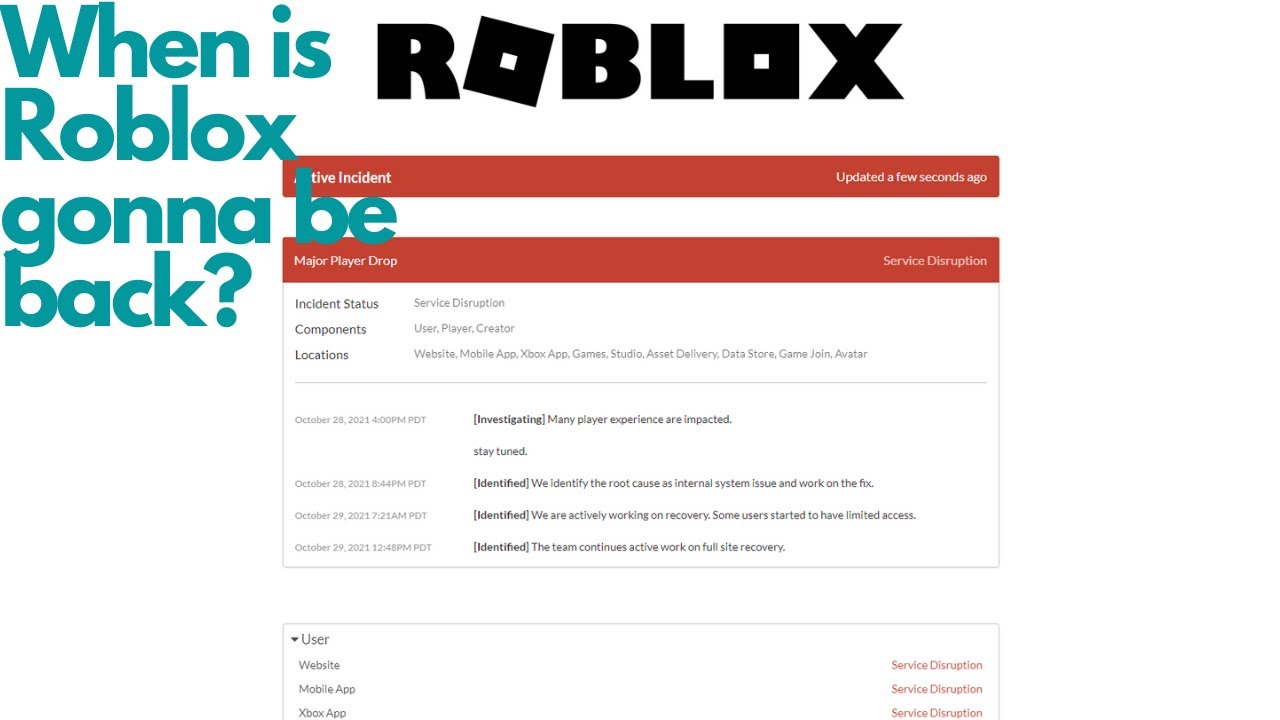
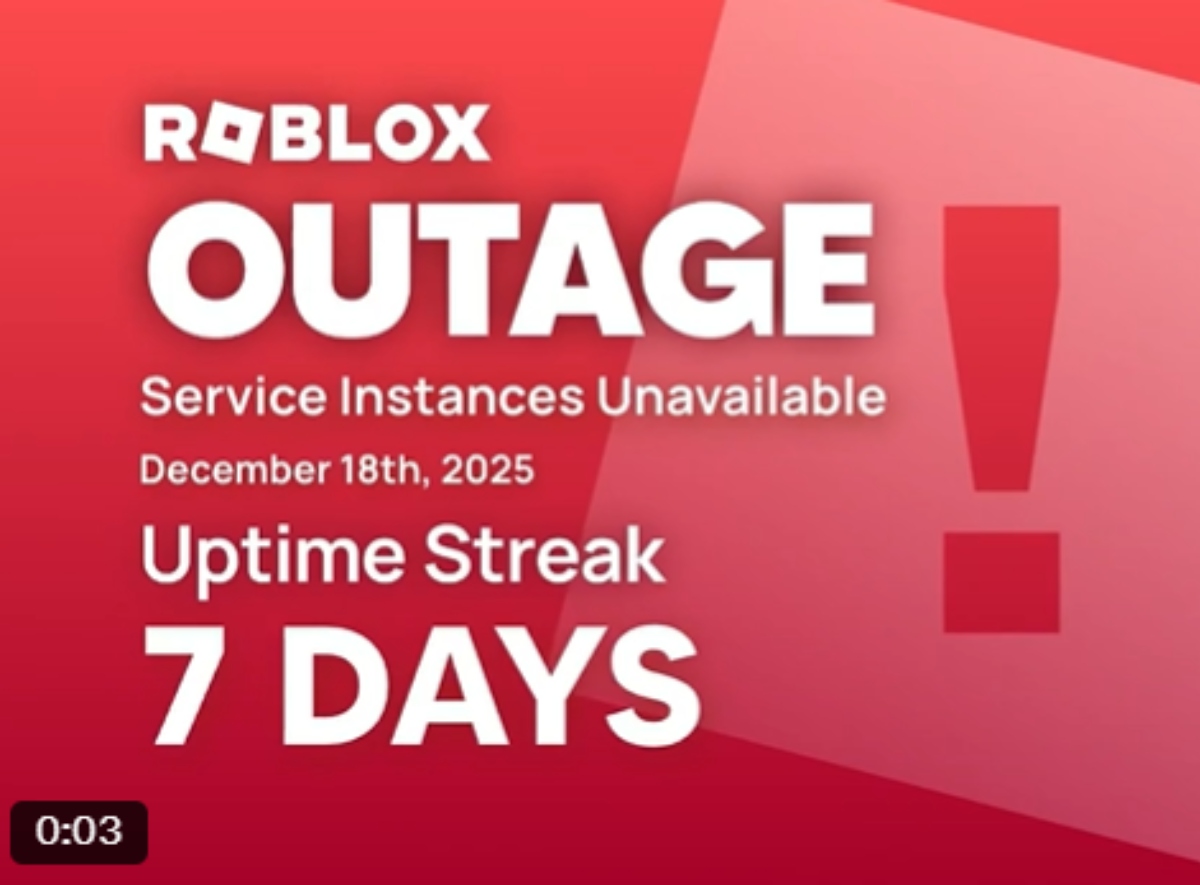
The duration of a Roblox outage can vary significantly, ranging from mere minutes to several hours, and in rare cases, even a full day or more. Minor glitches or localized server hiccups might be resolved in under an hour. However, more extensive issues, such as major system updates gone awry, unexpected hardware failures, or cyber-attacks (like the infamous October 2021 outage), can lead to prolonged downtime. Roblox's engineering teams work around the clock during these events, but complex problems require thorough investigation and careful resolution to prevent further complications.
It's important to differentiate between a global outage affecting all users and a localized issue impacting only certain regions or specific games. Most commonly, players experience short-lived interruptions. Keeping an eye on official communication channels, which we'll discuss shortly, is crucial for real-time updates on estimated recovery times. As of this month, Roblox continues to invest heavily in its infrastructure to minimize these occurrences, but the sheer scale of its platform means occasional interruptions are an unavoidable reality.
Why Does Roblox Go Down Sometimes?
Roblox, like any massive online platform, can experience downtime for a variety of reasons. Understanding these causes helps put the frustration into perspective. Here are the most common culprits:
- Scheduled Maintenance: Roblox regularly performs planned maintenance to update servers, deploy new features, and improve overall stability and security. These are usually announced in advance and typically occur during off-peak hours to minimize disruption.
- Unforeseen Technical Issues: Hardware failures, software bugs, network connectivity problems, or database errors can strike without warning. Given the complexity and scale of Roblox's infrastructure, a small glitch can sometimes cascade into a larger outage.
- High Traffic Overloads: Sudden spikes in player numbers, perhaps due to a hugely popular new game launch or a major in-game event, can overwhelm servers, leading to slowdowns or temporary crashes.
- Cyber-Attacks/DDoS Attacks: While Roblox has robust security, like any major online service, it can be a target for malicious attacks aimed at disrupting service. These Distributed Denial of Service (DDoS) attacks flood servers with traffic, making them inaccessible to legitimate users.
- Deployment Errors: Sometimes, new updates or code deployments can introduce unforeseen bugs that destabilize the platform, requiring a rollback or emergency patch.
Each of these scenarios requires different diagnostic and resolution strategies from Roblox's technical teams, influencing how long the platform might be down. The company prioritizes user experience and security, meaning they often take their time to ensure a fix is stable before bringing services back online.
What Are the Best Ways to Check Roblox Server Status?
When Roblox feels sluggish or simply won't connect, your first instinct might be to restart your router or computer. Before you do, checking the official server status is key. Here are the most reliable methods:
Official Roblox Status Page: This is your primary source of truth. Roblox maintains a dedicated status page that provides real-time updates on the health of its various services, including game servers, website, and API. Look for a green indicator for 'Operational' or a red/yellow for 'Outage'/'Degraded Performance'. A direct link is usually status.roblox.com.
Roblox on X (Twitter): The official @Roblox and @Roblox_Status accounts on X (formerly Twitter) are frequently updated during major outages. These accounts often post initial acknowledgments of issues, progress reports, and announcements when services are restored. Many US gamers, especially Millennials and Gen Z, rely on social media for quick, trending updates.
Downdetector and Similar Third-Party Sites: Websites like Downdetector gather user reports of service disruptions. While not official, they can provide a good indicator of whether an issue is widespread or isolated to you. If you see a massive spike in reports, it's likely a global problem.
Roblox Community Forums/Discord Servers: Engage with the community! Official and fan-run Discord servers and forums are great places to see if other players are experiencing the same issues. Sometimes, quick workarounds or specific game-related problems are discussed here.
Always prioritize official channels for accuracy. During significant outages, these platforms will have the most current and verified information, saving you from troubleshooting non-existent problems on your end.
Can I Do Anything to Fix Roblox Being Down on My End?
While most major Roblox outages are out of your control, there are several troubleshooting steps you can take to rule out local issues:
- Check Your Internet Connection: Ensure your Wi-Fi or wired connection is stable. Try opening other websites or apps. If your internet is out, that's your primary problem, not Roblox.
- Restart Your Router/Modem: A classic fix for many network issues. Unplug your router for 30 seconds, then plug it back in and wait for it to fully restart.
- Clear Roblox Cache: Corrupted cache files can sometimes prevent games from loading. You can usually find options to clear application data in your device's settings or within the Roblox player's temporary files folder.
- Update Your Roblox Client: Ensure your Roblox client is up to date. Outdated versions can sometimes have compatibility issues with current server configurations.
- Try a Different Device or Network: If possible, try launching Roblox on a different device (phone, tablet, PC) or connect to a different network (e.g., using mobile data instead of home Wi-Fi) to see if the issue persists. This helps pinpoint if the problem is device-specific or network-specific.
- Disable VPN/Proxy: If you're using a VPN or proxy, try disabling it. Sometimes these services can interfere with game server connections.
These steps are quick to perform and can often resolve minor, localized issues that might mimic a broader outage. However, if official channels confirm a global outage, these steps won't bring Roblox back online.
What Are Good Alternative Games for Roblox Downtime?
When Roblox is down, it's the perfect opportunity to explore other engaging titles, especially for gamers who value relaxation and skill-building. For those who enjoy social play and creativity, here are some excellent alternatives popular among US gamers:
- Minecraft: A timeless classic, Minecraft offers unparalleled creative freedom, survival challenges, and robust multiplayer options. It's a fantastic sandbox for building, exploring, and collaborating. Many Roblox players find its block-building mechanics familiar.
- Fortnite Creative: If the building and social aspects of Roblox are your draw, Fortnite Creative lets you design your own islands, games, and experiences, often with a more polished graphical style. It’s free-to-play and boasts a massive, active community.
- Among Us: For quick, social deduction fun, Among Us is excellent for short gaming bursts. It's perfect for connecting with friends and provides a different kind of strategic thinking.
- Fall Guys: A vibrant, chaotic battle royale game focused on platforming challenges. It's easy to pick up, provides immediate fun, and offers a great way to de-stress.
- Genshin Impact / Honkai: Star Rail: If you enjoy open-world exploration, gacha mechanics, and rich narratives, these free-to-play RPGs offer hundreds of hours of content across PC and mobile. They're visually stunning and provide a deep sense of progression.
- Mobile Gaming Options: Don't forget the vast world of mobile games. Titles like Clash Royale, Brawl Stars, or even casual puzzle games can fill the void during a Roblox outage, fitting perfectly into short breaks.
Having a few backup games installed and ready to go can turn a frustrating outage into an opportunity for new adventures, keeping your gaming momentum alive.
How Does Roblox Communicate Outages to Its Community?
Effective communication is crucial during downtime, and Roblox uses several channels to keep its vast global community informed. As of this month, their primary methods are:
- Roblox Status Page: As mentioned, status.roblox.com is the most direct and official source. It offers a clear, at-a-glance overview of service health.
- Official X (Twitter) Accounts: @Roblox and @Roblox_Status are actively monitored and updated during major incidents. These accounts serve as a quick alert system for millions of users.
- Roblox Blog and Announcements: For more detailed post-mortems or explanations of significant outages, Roblox may publish articles on its official blog. This is less common for routine downtime but important for understanding major incidents.
- In-Platform Messages: Sometimes, brief messages about ongoing issues or maintenance can appear within the Roblox client or website when you try to log in, though this is less reliable during a full outage.
Roblox generally aims to provide transparent updates, acknowledging problems, outlining what they're doing to fix them, and offering an estimated time to resolution when possible. Monitoring these official sources prevents misinformation and ensures you get the most accurate updates.
What Impact Do Roblox Outages Have on Developers and Players?
Roblox outages have a significant ripple effect, impacting both the millions of players who use the platform for entertainment and the vast ecosystem of developers who build experiences and earn a living on it.
Player Impact:
- Lost Gaming Time: For many busy adults, gaming time is a cherished commodity. Outages mean lost opportunities for relaxation, social connection, and progression in their favorite games.
- Frustration and Disappointment: The inability to access the platform, especially during planned play sessions with friends, can lead to significant frustration.
- Missed Opportunities: Players might miss out on limited-time events, daily bonuses, or scheduled meetups within games, impacting their in-game experience.
Developer Impact:
- Revenue Loss: Developers earn Robux through game passes, in-game purchases, and premium payouts. When the platform is down, these revenue streams halt, directly impacting their livelihoods.
- Engagement Drop: Prolonged outages can lead to a dip in player engagement for specific games, as users might move on to other platforms or titles.
- Reputation Damage: While outages are often out of individual developers' hands, repeated platform instability can indirectly affect confidence in the Roblox ecosystem as a whole.
- Development Delays: Developers relying on Roblox Studio to create and update games can be stalled, impacting their release schedules and workflow.
The interdependence of players and creators on Roblox highlights the importance of platform stability. Major outages underscore the need for both Roblox and its community to have contingency plans.
Are There Trends in Roblox Downtime Frequency?
Observing trends in Roblox downtime frequency is an interesting exercise for dedicated gamers. While it's difficult to provide exact month-over-month statistics without internal Roblox data, general patterns can be noted:
- Increased Stability Over Time: As Roblox has grown, so has its infrastructure and engineering expertise. While major outages still occur (as they do with any large tech company), the frequency of truly debilitating, long-term global outages has generally decreased compared to its earlier years, reflecting continuous investment in platform resilience.
- Peak Traffic Vulnerability: Outages are sometimes correlated with periods of exceptionally high user activity, such as holiday breaks, major in-game events, or after significant content updates. The system is pushed to its limits during these times.
- Post-Update Issues: New feature rollouts or significant platform updates can sometimes introduce unforeseen bugs that lead to temporary instability as the new code settles in.
- Geographic Concentration: While rare, some issues might be localized, affecting specific data centers or regions more than others. However, Roblox's global infrastructure aims to distribute load and minimize such impacts.
For the average gamer, occasional minor hiccups are part of the online experience. The key takeaway is that Roblox is actively working to minimize these occurrences, but perfect uptime is an elusive goal for a platform of its immense scale.
How Can I Balance Gaming on Roblox with Real-Life Commitments During Outages?
For the US gamer who balances a job, family, and other life commitments, an unexpected Roblox outage can feel like a direct assault on their precious downtime. The key is preparation and perspective:
- Have Backup Plans: As discussed, keep a list of alternative games ready. Whether it's a cozy single-player adventure on your console, a quick mobile game, or even a board game with the family, having options reduces frustration.
- Stay Informed, But Don't Obsess: Check the official status channels, but avoid endlessly refreshing. Get the update, then move on to your backup activity. Your time is too valuable to spend staring at a loading screen.
- Use the Time Productively (or Differently): An outage might be a nudge to tackle a chore, spend quality time with loved ones, read a book, or even catch up on some non-gaming entertainment.
- Communicate with Gaming Friends: If you had a session planned, let your friends know the situation via Discord or text. Use the opportunity to catch up outside of the game.
- Reframe Your Expectations: Understand that online platforms will occasionally experience downtime. Accepting this reality helps manage frustration when it inevitably happens.
Ultimately, gaming is about enjoyment. When Roblox is unavailable, use it as a reminder to either explore new forms of fun or embrace other aspects of your life. It’s about adapting and making the most of your time, regardless of server status.
Conclusion
Navigating the occasional turbulence of a Roblox outage doesn't have to ruin your gaming experience. By understanding why these downtimes occur, knowing exactly where to find reliable status updates, and having a few backup plans in your gaming arsenal, you can transform frustration into proactive problem-solving. Your time as a gamer is valuable, and being informed means you're always in control, ready to adapt and continue enjoying your passion. Remember, sometimes the best solution to a server being down is to simply switch gears and explore something new.
What's your biggest gaming challenge when your favorite platform goes offline? Comment below and share your strategies!
FAQ Section
Q: How can I tell if Roblox is down specifically for me or everyone?
A: The quickest way to check if Roblox is down for everyone is by visiting the official Roblox Status page (status.roblox.com) or checking their official X (formerly Twitter) accounts like @Roblox_Status. If these sources report an outage, it's global. If they show everything operational, the issue might be local to your internet or device.
Q: Does Roblox ever compensate players for extended downtime?
A: While Roblox generally doesn't offer direct monetary compensation for lost gameplay time during outages, they have, in the past, provided in-game items or promotional codes to the community after significant, prolonged outages as a gesture of goodwill. These instances are rare and usually tied to major, widespread disruptions.
Q: Is there a specific time of day Roblox is more likely to go down for maintenance?
A: Roblox typically schedules planned maintenance during off-peak hours to minimize disruption to its global player base. This often means late night or early morning in US time zones (e.g., between 2 AM and 6 AM ET), when overall player count is historically lower. Unplanned outages can, of course, happen at any time.
Q: Can third-party apps or VPNs cause Roblox connection issues?
A: Yes, third-party applications, especially VPNs or proxy services, can sometimes interfere with Roblox's connection. They can route your traffic through servers that might be blocked or have higher latency, leading to slower performance or an inability to connect. It's often a good troubleshooting step to temporarily disable them to see if the issue resolves.
Q: How often does Roblox have major outages, like the one in 2021?
A: Major, prolonged global outages like the multi-day event in October 2021 are quite rare for Roblox. The platform invests heavily in infrastructure to prevent such occurrences. While shorter, localized, or minor service disruptions are more common, widespread, severe outages are infrequent, often happening once every few years, if at all.
Q: What should I do if my Robux or Premium subscription seems affected by downtime?
A: If you believe your Robux balance or Premium subscription benefits have been negatively impacted by an outage (e.g., lost Robux, subscription not active post-downtime), the best course of action is to contact Roblox Customer Support directly through their official support page. Provide detailed information about your issue, and they can investigate further.
Roblox downtime typically ranges from minutes to several hours for major outages. Official Roblox status pages and social media are the most reliable sources for updates. Clearing your cache or checking your internet connection can sometimes resolve local issues. Having alternative games ready helps manage frustration during extended downtime. Roblox communicates major outages via their official Twitter and status page. Server issues can impact both player experience and developer revenue. Staying informed minimizes wasted gaming time.
34
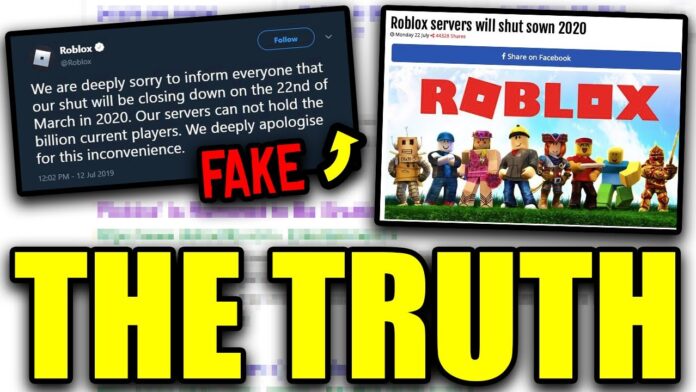
How Long Is Roblox Gonna Be Down For Now Is Roblox Shutting Down . How Long Is Roblox Gonna Be Down For Now . How Long Is Roblox Gonna Be Down For Now Roblox Is Down 3.webp. Is Roblox Down Check Server Status In June 2026 Live Updates Is Roblox Down . 100 Unofficial Roblox Annual 2026 Lipscombe Daniel 100 Unofficial 51ZwwJtIAoL


Is Roblox Getting Shut Down In 2026 The Real Truth Behind All Those Is Roblox Getting Shut Down In 2026 1024x683 . What Caused The Biggest Roblox Outage In 2021 Roblox Down . Roblox Says It Identified Underlying Internal Cause Of Outage Gaming . Roblox Shutting Down Today Lets Get The Facts Straight. Roblox Down Lets Find Out Roblox Stock Forecast 2025


Is Roblox Crashing Right Now What You Need To Know . How Long Is Roblox Going To Be Down Playbite How Long Is Roblox Going To Be Down . Roblox Down Lets Check . When Did Roblox Come Out Answering Your Questions . Roblox Down Whats Happening And How To Check Is Roblox Shutting Down In 2025


Roblox Is NOT Shutting Down In 2025 YouTube . Is Roblox Shutting Down Official Truth Latest Updates Is Roblox Shutting Down 696x392 . Roblox Down Lets Check Whats Happening Roblox Shutting Down 2025 768x512 . Is Roblox Down Still Lets Check In . Roblox Is Down Worldwide Leaving Thousands Unable To Play Roblox Is Down


Is Roblox Down January 26 2026 Roblox Down DesignTAXI. Is Roblox Shutting Down In 2026 Latest Updates Roblox Shutting Down . Roblox Is Currently Down Roblox Is Fixing The Problem R RobloxHelp . Roblox Stock Down More Than 10 Already In 2026 Is It Time To Buy Image. Could Roblox Really Be Shutting Down Here S What Parents Need To Know





Roblox Down Lets Figure It Out Roblox Down Graph . Roblox In 2026 Play On Roblox NoFilter. Roblox Down Lets Find Out How Long Will Roblox Be Down For 2.webp. How Long Is Roblox Gonna Be Down For Now Roblox Is Down Server Status . Is Roblox Server Down How To Check Status And Fix Issues TechWiser Is Roblox Server Down.webp


Want To Downoald Roblox In 2026 A Complete Guide Awaits 1200x1769 . Roblox Down Lets Find Out . Is Roblox Shutting Down On January 1 The Rumor Is Back Again But Let 503671649 . Roblox Account Locked How To Unlock It 2026 Technobezz Roblox Account Locked How To Unlock It